Using Templates
Get started quickly with pre-built macro collections.
What Are Templates?
Templates are pre-configured sets of shortcuts that you can apply to any menu or app folder. Instead of creating common macros from scratch, apply a template and improve your productivity instantly.
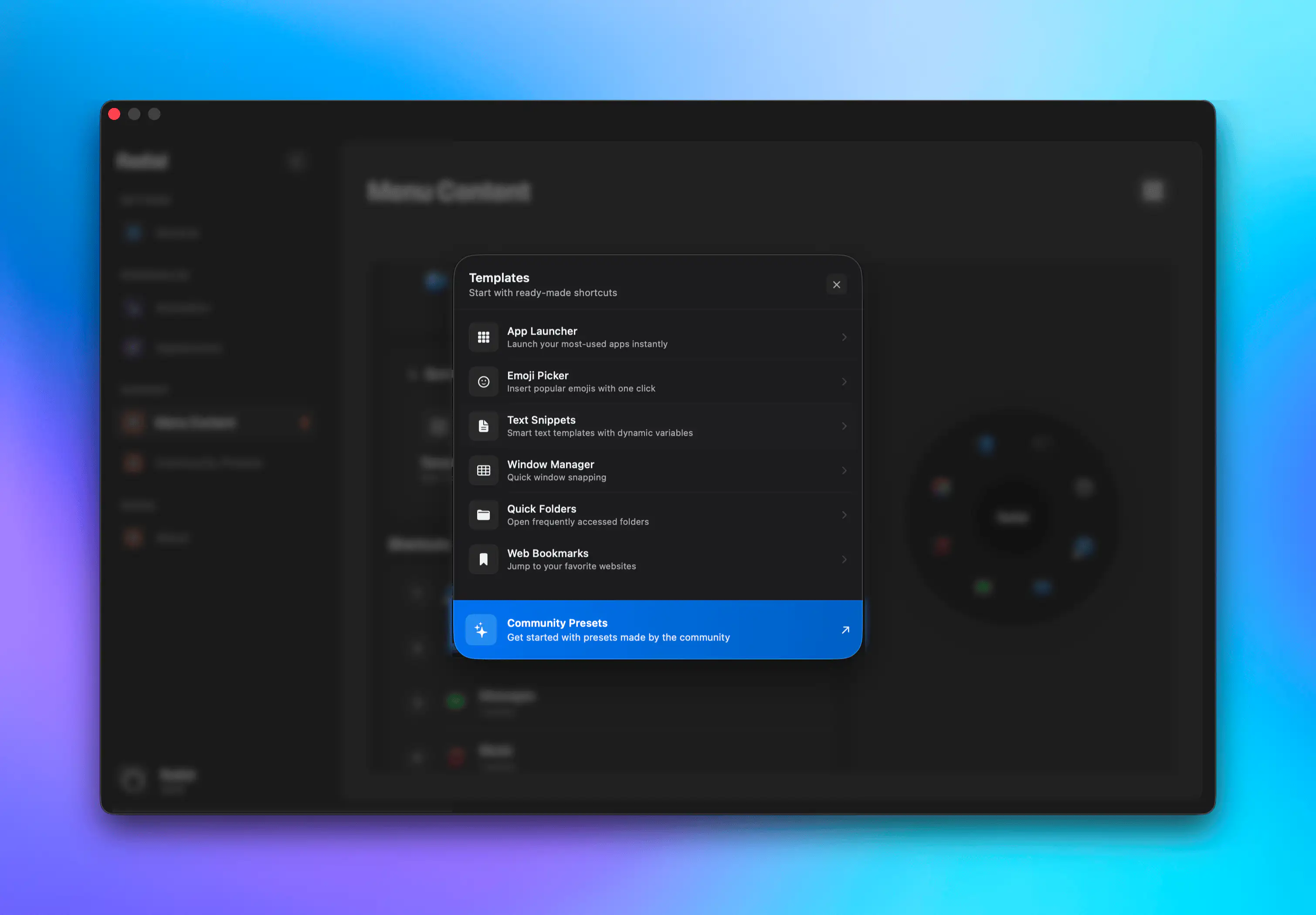
Available Templates
App Launcher
Launch your most-used applications instantly.
Includes:
- Safari
- Mail
- Messages
- Finder
- Calendar
- Notes
- Photos
- Reminders
- System Settings
Emoji Picker
Quick access to commonly used emojis.
Includes:
- 😀 Grinning Face
- 😂 Face with Tears of Joy
- ❤️ Heart
- 👍 Thumbs Up
- 🎉 Party Popper
- 🔥 Fire
- 🤣 Rolling on the Floor Laughing
- 🙏 Folded Hands
Text Snippets
Pre-written text for common scenarios.
Includes:
- "Thanks for your email" response
- "Out of office" message
- Meeting follow-up template
- Timestamp
- Email Signature
- "In a meeting" message
Window Management
Shortcuts for arranging windows.
Includes:
- Maximize window
- Minimize window
- Fullscreen
- Left half
- Right half
- Center window
- Quarter positions
Quick Folders
Instant access to important directories.
Includes:
- Documents
- Downloads
- Desktop
- Home
- Applications
- Pictures
Web Bookmarks
One-click access to frequently visited websites.
Includes:
- Github
- Google
- YouTube
- Gmail
- X
- LinkedIn
How to Apply Templates
- Open Radial settings
- Navigate to Menu Content tab
- Select the menu or app where you want to apply the template
- Click Templates under Quick Start
- Choose from the list of available templates
- The shortcuts are automatically added to your menu
Customizing Templates
Templates are starting points. After applying one:
- Remove unwanted items — Delete any shortcuts you won't use
- Add your own — Create additional shortcuts specific to your needs
- Rearrange — Drag shortcuts to your preferred positions
- Edit existing — Modify shortcuts to match your preferences
Community Presets
For more advanced templates or workflows, you can check out the community presets to find and install menus made by other users. You can even share your own workflows with the community.