
Radial vs Kando:
Native macOS Power vs Cross-Platform
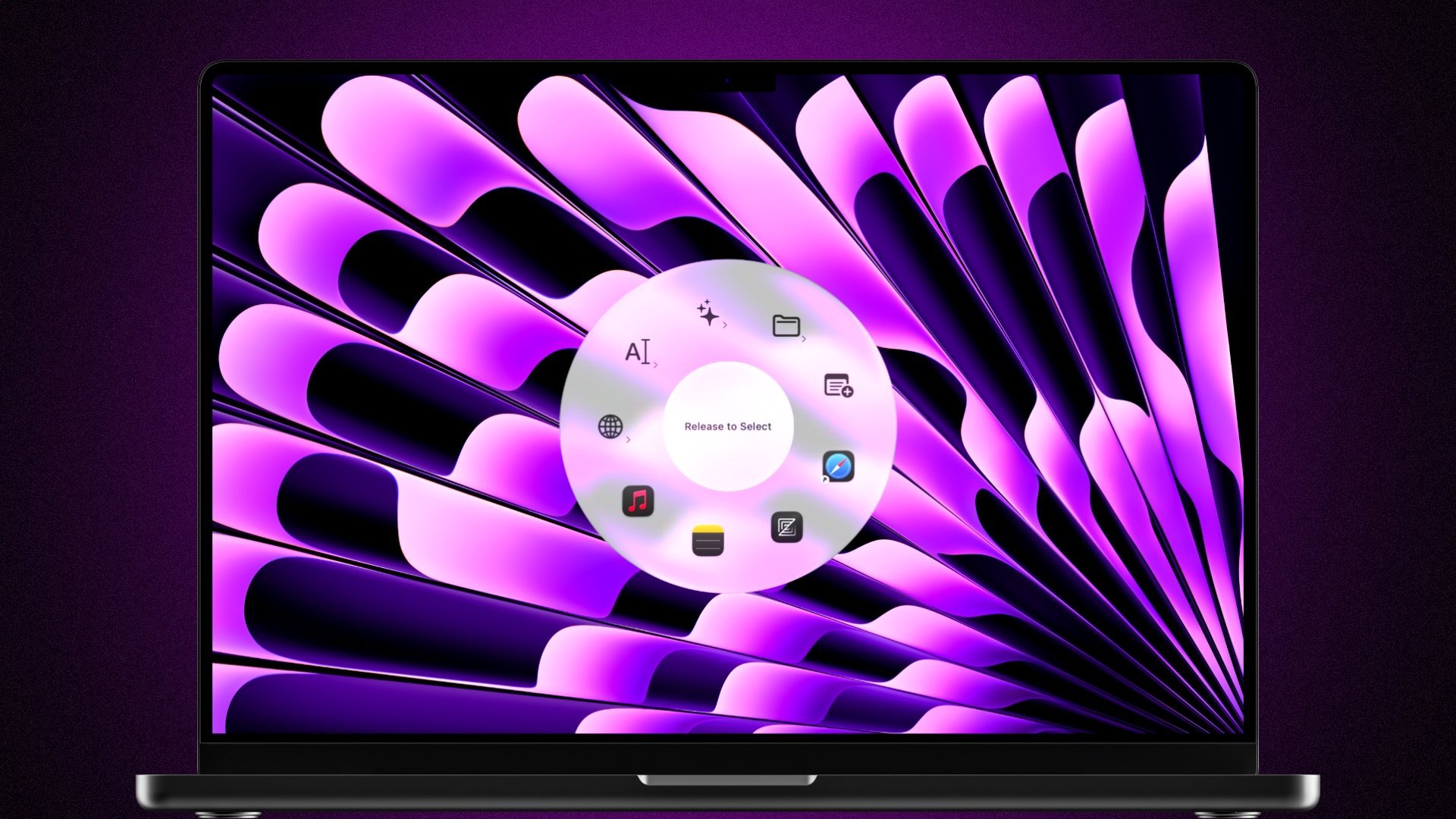
Kando is a free, open-source cross-platform pie menu. Radial is a native macOS pie-menu with a powerful macro editor, context-aware menus, and deep system integration. Here is how they compare.
 Download for Mac
macOS 15+ · 7-day free trial · One-time purchase
What is Kando?
Kando is a free, open-source pie menu application that works on Windows, Linux, and macOS. It provides a cross-platform radial menu for triggering keyboard shortcuts, opening apps, launching websites and running shell scripts. Being built with Electron, it aims for broad compatibility rather than deep integration with any single platform. Electron is however not as optimized as native macOS apps, and thus tends to be a lot more resource intensive.
Radial vs Kando: Feature Comparison
A side-by-side look at what each app can do.
Why People Switch from Kando to Radial
Here are the most common reasons users make the switch.
Built Natively for macOS
Radial is a native macOS application, designed from the ground up for the Mac. It integrates deeply with macOS features like Apple Shortcuts, system controls, and Accessibility APIs. Kando is a cross-platform Electron app, which means it lacks native macOS integration, can feel out of place on a Mac, and is often a lot more resource intensive than native apps.
A Full Automation Engine
Kando lets you trigger keyboard shortcuts and open apps from a pie menu. Radial gives you a full visual macro editor where you build multi-step workflows: chain actions, run scripts, insert text, control system settings, and more. It turns a simple menu into a complete automation tool.
Context-Aware: The Right Menu at the Right Time
Radial automatically shows different menus depending on which app you have focused. Your design tools appear in Photoshop, your dev shortcuts appear in VS Code. Kando shows the same menu everywhere, which means you either overstuff it or leave actions out.
Community Marketplace
Browse and install ready-made presets shared by the Radial community. Discover workflows, get inspired, and get productive faster. Kando has no built-in marketplace, sharing system or templates, making the setup procedure a lot more time consuming and difficult.
Apple Shortcuts & Deep System Integration
Trigger any Apple Shortcut directly from your Radial menu. Control system volume, brightness, media playback, and more. Kando's cross-platform approach means it cannot tap into these macOS-specific capabilities.
Polished, Native Experience
Radial is native, fast, polished and optimized with tight system integration. As a cross-platform Electron app, Kando trades native polish for broader platform support.
What Users Say About Radial
Real feedback from the Radial community.
“I've used a couple of other radial menus in the past and found that Radial is far more powerful than expected. I can easily see this fitting into and in some areas hugely improving the way I do things on a daily basis. Other solutions sometimes felt like they were getting in the way a bit whereas Radial seems far snappier, yet more capable in every way. Well done!”
The Verdict
Kando is a solid free option, especially if you need a pie menu on Windows or Linux. But on macOS, Radial is in a different league. It is natively built for the Mac, deeply integrated with macOS features like Apple Shortcuts, and offers a full macro editor for building real automations. If you are on a Mac and want a pie menu that is more than a shortcut launcher, Radial is the clear win.
Frequently Asked Questions
Is Radial a good Kando alternative on macOS?
Yes. If you are on macOS, Radial offers everything Kando does plus native system integration, a visual macro editor, context-aware menus, Apple Shortcuts, and a community marketplace. It is purpose-built for the Mac.
Is Kando free? Is Radial free?
Kando is free and open-source. Radial offers a free 7-day trial, after which it is a one-time purchase of €19.99.
Does Radial work on Windows or Linux?
Radial is exclusively for macOS. If you need a pie menu on Windows or Linux, Kando is your best option. On macOS, Radial is significantly more capable.
Can Radial run Apple Shortcuts?
Yes. Radial integrates directly with Apple Shortcuts, letting you trigger any shortcut from your radial menu. This is not possible with Kando.
Is Radial faster than Kando?
Radial is a native macOS app, which generally makes it significantly faster, smoother and more optimized compared to Kando's Electron-based approach.
Ready to switch?
See for yourself why
people switch to Radial.
Download Radial and get a free 7-day trial. No credit card needed. Decide for yourself whether it beats Kando.
macOS 15+ · €19.99 one-time · No subscription