
App Launcher · macOS
The fastest way
to launch any app.
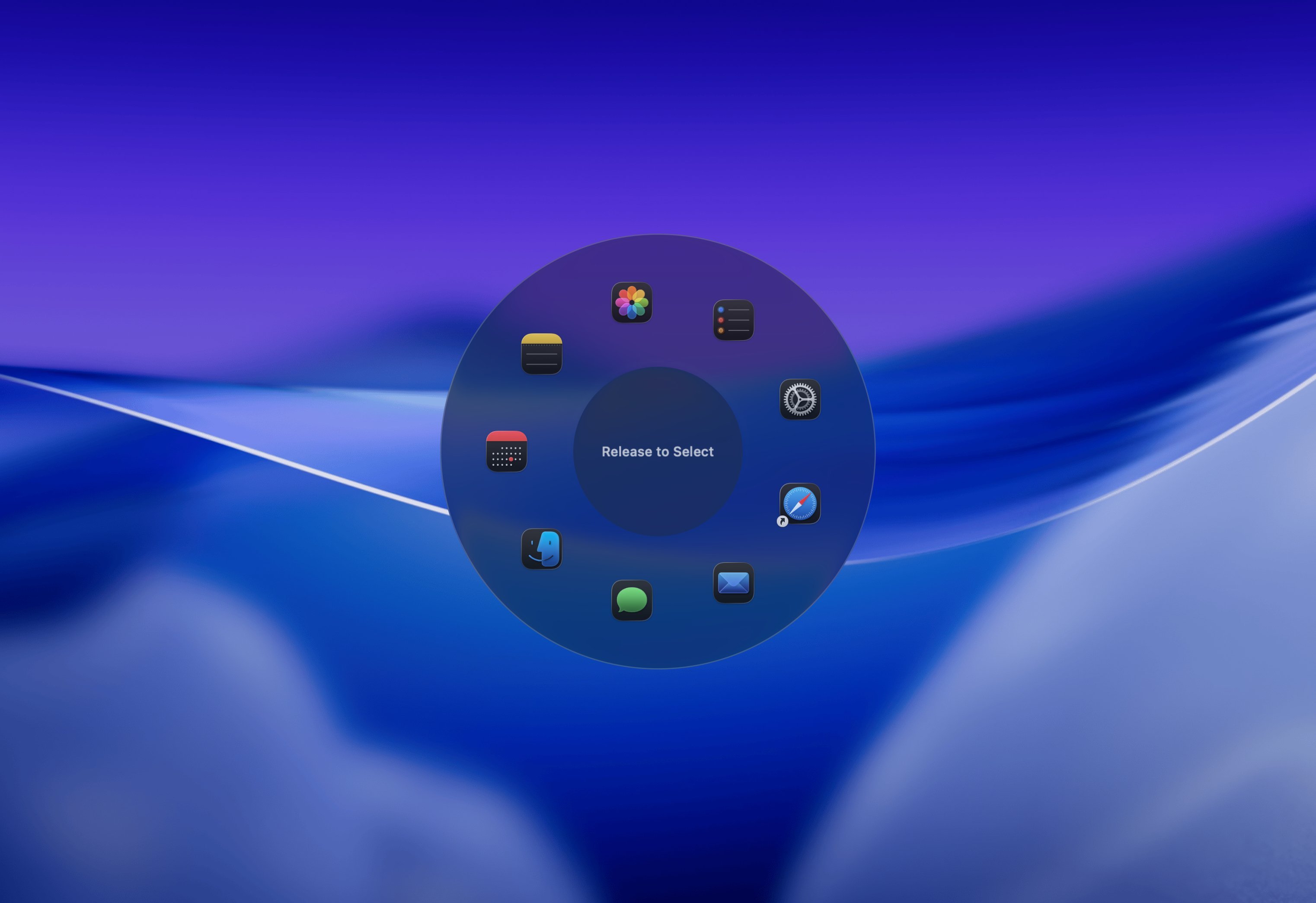
Radial is a pie menu app launcher for macOS that appears right at your cursor. Press your hotkey, flick toward the app you want, and it opens. No typing. No Dock. Under a second.
 Download for Mac
macOS 15+ · 7-day free trial · One-time purchase
The problem
You already know which app you want.
So why is getting there so slow?
Every built-in macOS launcher asks you to work for it. Spotlight wants you to type. The Dock wants you to aim at small icons at the edge of your screen. CMD+Tab wants you to cycle through everything open until you land on the right one. Launchpad wants you to scroll a grid of apps you forgot existed.
Each one breaks the same thing: your focus. Not because the work is hard, but because getting to your tools keeps pulling you out of it. A great app launcher should be invisible. It should get out of your way the instant you use it.
How it works
Press. Flick. Done.
01
The menu appears at your cursor
Press your hotkey and the pie menu opens right where you are already working. No searching for apps, No scrolling through lists. Just the menu and the apps you need in front of you.
02
Flick toward the app
Each slice of the radial menu is an app, a folder, a website, or a shortcut. Point your cursor in its direction and click, or just release the key to activate. Your spatial memory takes over within days.
03
Back to work
The app opens. The menu disappears. You never moved your eyes to a corner of the screen. You never typed a letter. Your train of thought is exactly where you left it.
Why it's faster
You learn directions, not names.
Most launchers, whether it's Spotlight, Alfred, or Raycast, require you to remember a name and type it every single time. A radial menu only asks you to learn a direction once. Configure Safari to be up. Mail to be left. VS Code to be bottom-right. It becomes muscle memory, and soon you don't even have to think about it.
That's the core insight behind pie menus: spatial memory is faster than verbal memory. You stop thinking about where an app is and just go there. Radial is built entirely around that idea.
Context-aware
Your app launcher. Every app's shortcut menu. Same hotkey.
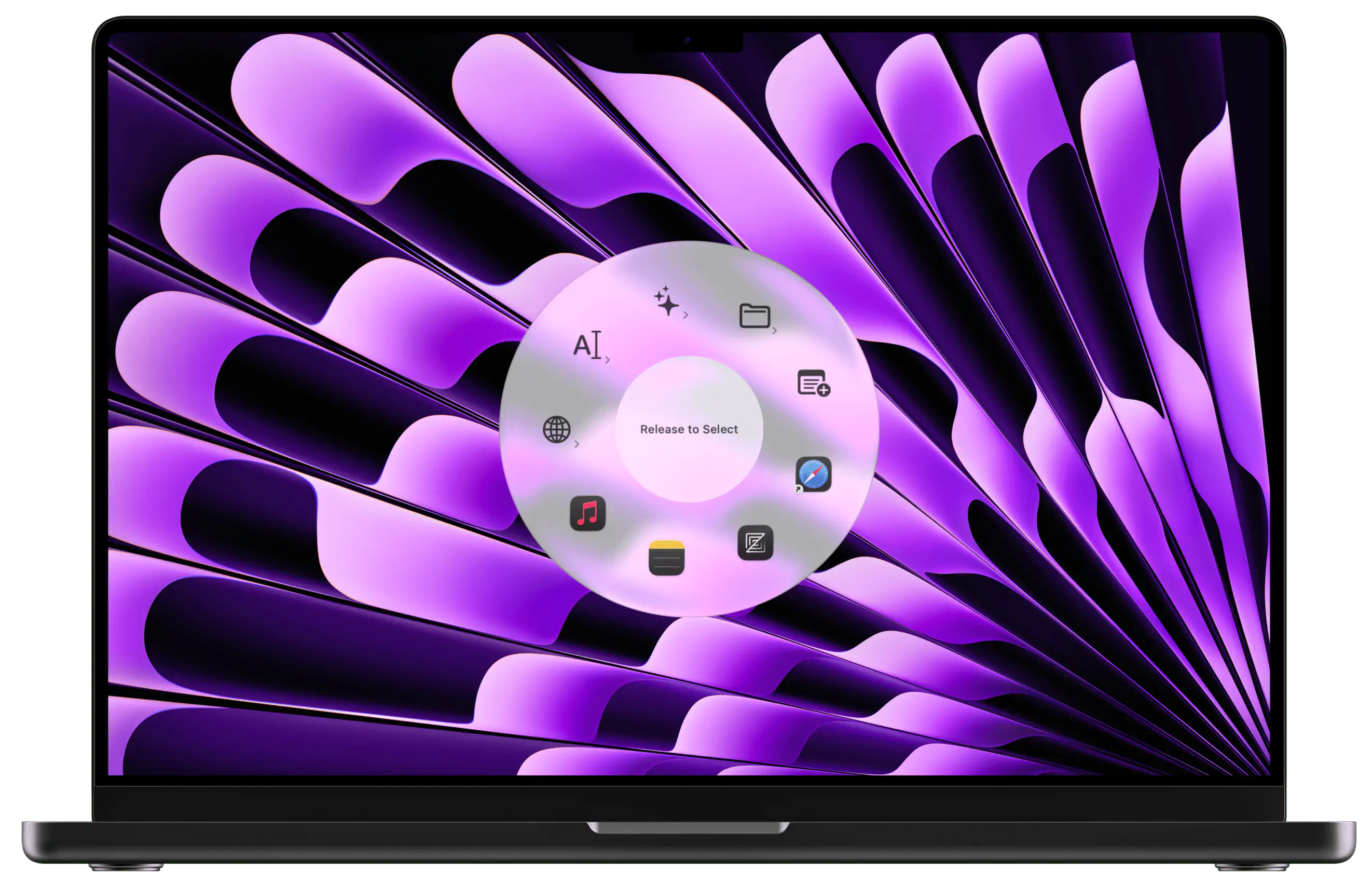
On your desktop, the pie menu shows your app launcher. The moment you switch into Photoshop, the same hotkey shows your Photoshop shortcuts. In VS Code, your dev tools. In Figma, your design actions. Radial automatically shows the right menu for wherever you are working.
One hotkey. The right actions. Every time.
Beyond launching
The same menu holds everything else too.
Once you have your app launcher set up, the same menu can hold anything else you reach for repeatedly throughout your day.
Websites & Bookmarks
Open dashboards, project tools, and frequent URLs without switching to a browser first.
Files & Folders
Jump to project folders and frequently used files the moment you need them.
Keyboard Shortcuts
Trigger any app's shortcuts and keybindings from the same radial menu, without memorizing them.
Text Snippets
Paste canned replies, email signatures, saved text snippets, and templates directly at your cursor.
Macros & Automations
Chain actions together: open apps, tile windows, set your Slack status — all with a single gesture.
Sub-menus
Organize everything into nested menus so your launcher never gets cluttered.
Ready to get started?
Save 150+ hours
every year.
A few well-built shortcuts in Radial saves most people 15 to 30 minutes a day. Try it free for 7 days and feel the difference before you spend a cent.
macOS 15+ · €19.99 one-time · No subscription