
The Radial Menu for macOS
Press a hotkey. A circular menu appears at your cursor. Open an app, jump to a website, paste a snippet, or trigger a shortcut — in one gesture.
 Download for Mac
macOS 15+ · 7-day free trial · €19.99 one-time purchase
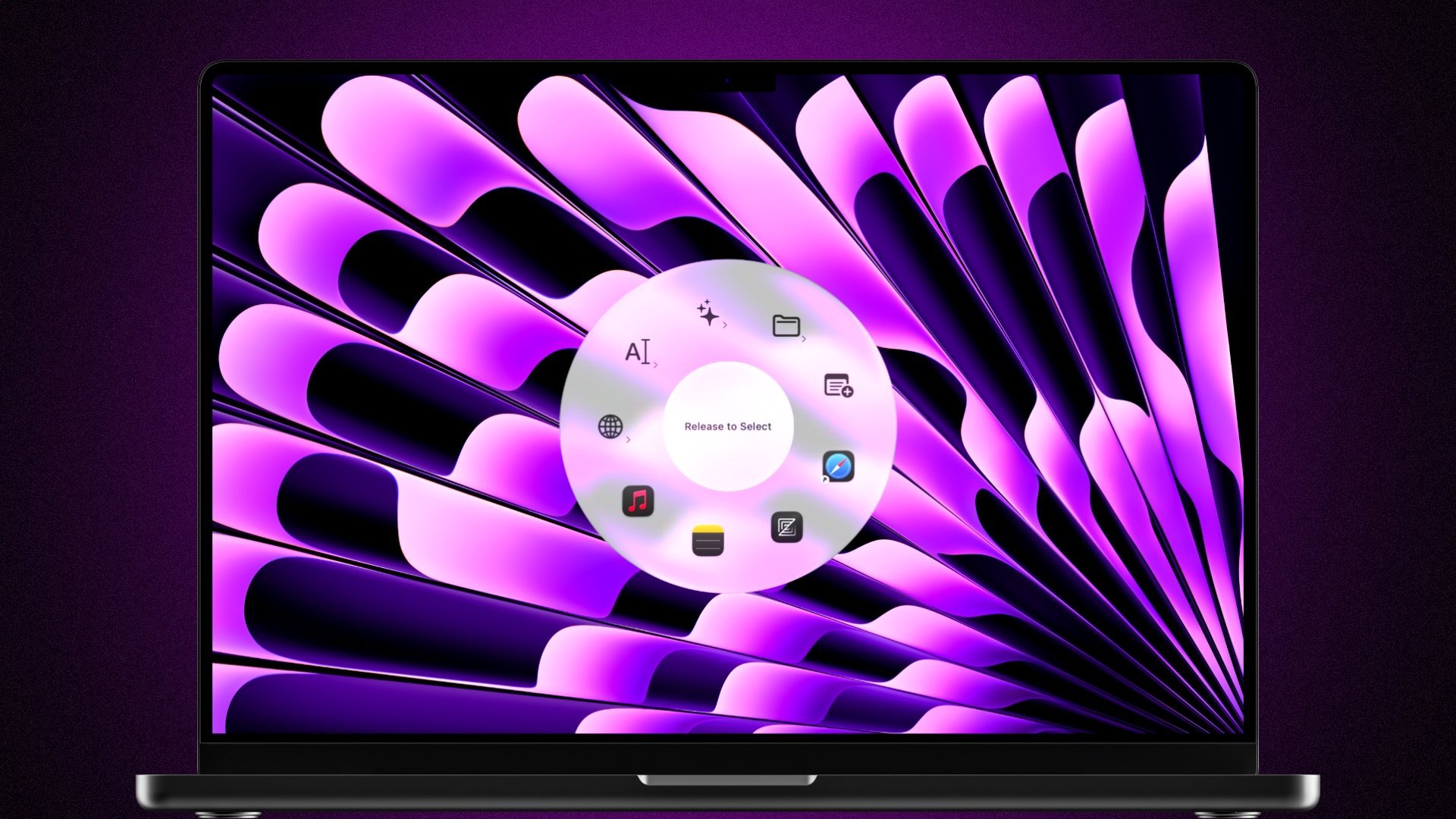
Everything at Your Fingertips
From opening your most-used apps to pasting text snippets and triggering shortcuts — Radial handles the things you do most, all with a single gesture.
Always at Your Cursor
Press a hotkey and Radial opens right where your mouse is. Pick any action with a single gesture and get straight back to work.
Launch Apps & Websites
Open your most-used apps, folders, and websites in one gesture. No more hunting through the Dock or typing into Spotlight.
Insert Text Snippets
Paste email signatures, canned replies, code templates, or any text you type repeatedly, instantly from your radial menu.
Context-Aware Menus
Radial shows different menus depending on which app you have open. The right shortcuts appear automatically, without requiring manual switching.
Sub-Menus
Organize your actions into sub-menus so your main menu stays clean. Access everything in just a couple of gestures.
Multi-Step Shortcuts
Chain multiple actions together such as opening an app, aligning the windows, performing an action, inserting some text — all triggered from a single menu press.
Scripts & Apple Shortcuts
Run shell scripts, AppleScripts, and Apple Shortcuts directly from your menu. Radial fits right into your existing Mac workflows.
Community Presets
Browse and install ready-made menus shared by other Radial users. Get set up in minutes instead of building from scratch.
One Tool, Many Jobs
App launcher, bookmark bar, snippet expander, shortcut trigger, system controls, automations, and more. Radial replaces several tools in one.
Loved by Mac Users
Real feedback from the Radial community.
“I've used a couple of other radial menus in the past and found that Radial is far more powerful than expected. Other solutions sometimes felt like they were getting in the way a bit whereas Radial seems far snappier, yet more capable in every way. Well done!”
Why Use a Radial Menu on Mac?
A radial menu (also called a pie menu or circular menu) places your most-used actions in a circle right at your cursor. Instead of reaching for the Dock, tabbing through windows, or typing into Spotlight, you press one hotkey and everything you need is one gesture away.
Radial is built for everyday use on macOS. Start with the basics: add your most-used apps, websites, and text snippets. Once that becomes second nature, you can explore context-aware menus that switch automatically per app, nested sub-menus for more actions, and multi-step shortcuts that chain things together.
It fits any kind of workflow. Designers use it for tool shortcuts. Developers use it for scripts, code snippets and terminal commands. Writers use it for text snippets and templates. Whatever you reach for most on your Mac, Radial puts it one gesture away.
Compare Radial to Alternatives
Ready to get started?
Everything at
your cursor.
Download Radial and get a free 7-day trial. No credit card needed.
Download for MacmacOS 15+ · €19.99 one-time · No subscription