
Build, test, deploy
with one
click
Execute terminal commands, run git operations, and deploy to production—all from your cursor. No more context switching, no shortcuts to remember.




7-day free trial • One-time purchase
Build, test, deploy
with one
click
Stop switching between your editor and terminal.
Radial puts your entire development workflow at your fingertips. Run build scripts, execute git commits, deploy to production, and insert code snippets. All with one gesture, right at your cursor.
 Download for Mac
That 15-command workflow? Now it's one keystroke.
Build commands, test runners, deployment scripts, and code snippets. Turn your terminal marathons into single actions. Press a key, pick from the menu, ship.

Press a key, run your script, keep coding
The menu appears at your cursor with the dev actions you configured. Run your build, execute tests, or deploy to production without leaving your flow. No more switching windows.
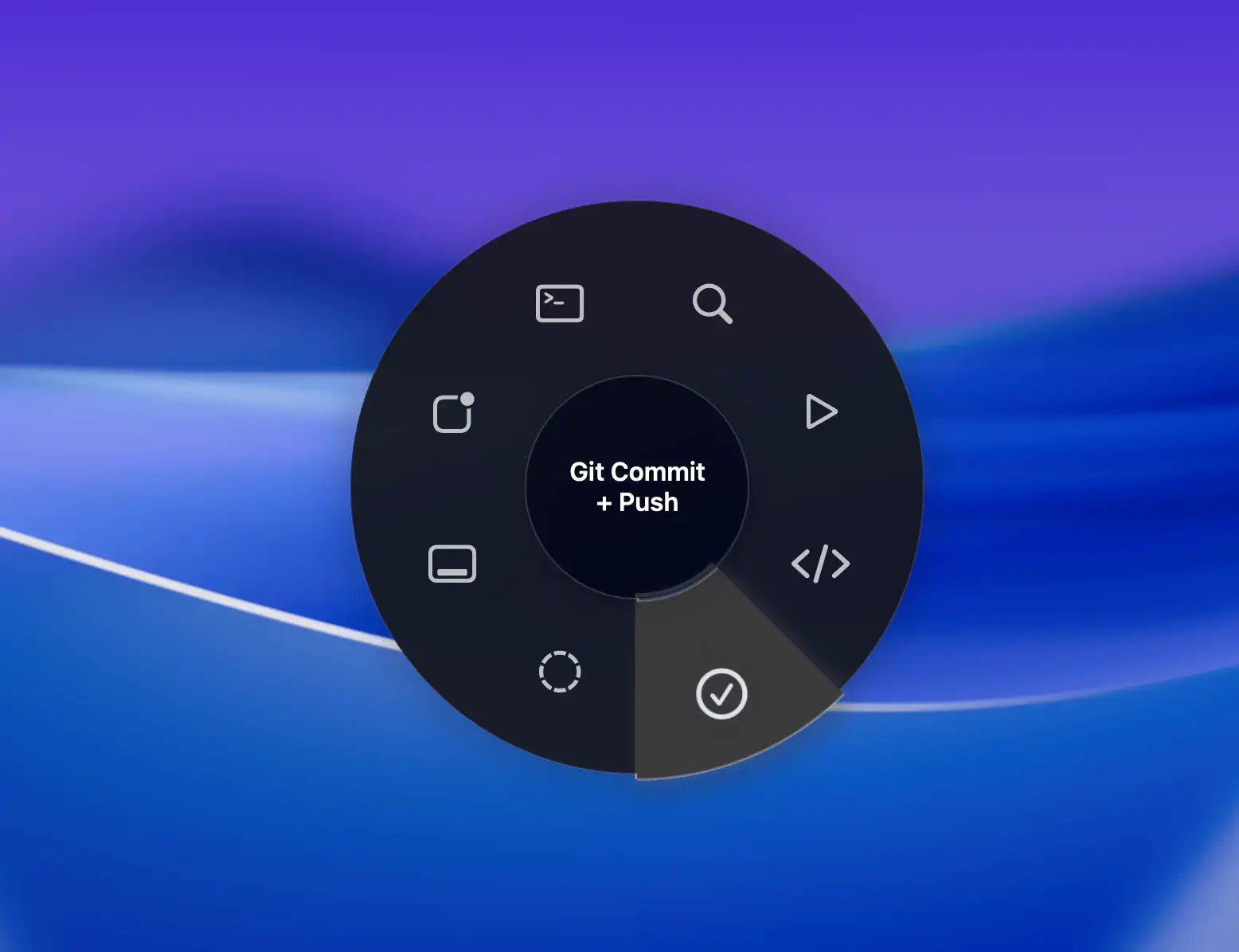
Complex build pipelines in one gesture
Chain multiple commands together. Run your build, execute tests, and deploy to production. All automated. All instant. Configure once, use forever.
Insert boilerplate instantly
Stop typing the same React components, API endpoints, or database queries over and over. Save your templates as snippets and insert them with one gesture.
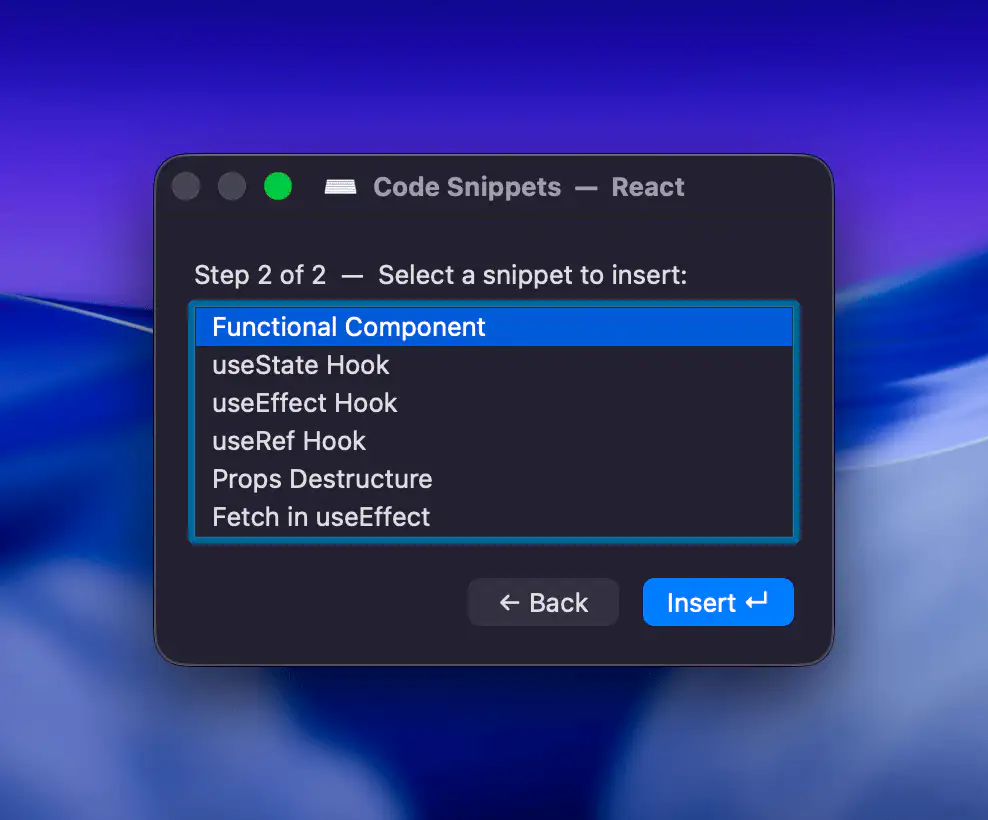
Your VS Code actions stay in VS Code
Switch to Terminal and you see your shell scripts. Switch to GitHub Desktop and you see your git workflows. The menu adapts to your environment automatically.
Radial isn't just for developers
The idea is simple. You group a few steps into an action, then trigger it when you need it. That works for code, but it also works everywhere on macOS.
Designers
- Export multiple formats
- Apply color presets
- Batch resize images
Video editors
- Apply effect sequences
- Export with presets
- Organize project files
Everyone else
- Launch frequent apps
- Move files to folders
- Insert text snippets
If you can describe a repeated task as a short sequence of steps, it can usually become an action in Radial.
Learn More