AI Action
Powerful AI built right into your macros.
What It Does
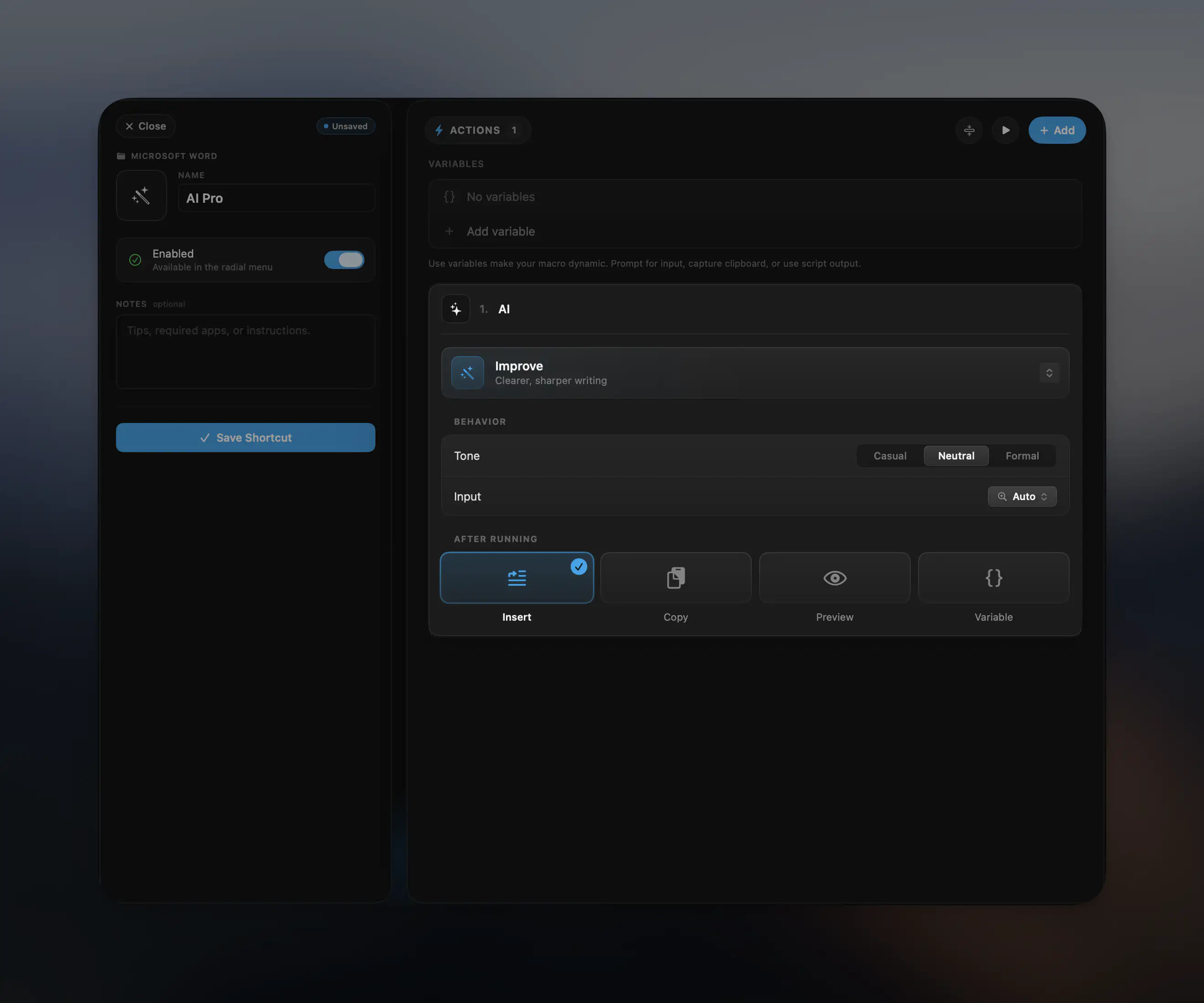
The AI action brings large language model capabilities directly into Radial. Use it to transform text, generate content, extract structured data, fix grammar, and more — all triggered directly from Radial.
AI Pro Subscription
AI actions require AI Pro — available for €5.99/month. AI Pro unlocks all AI action types and modes across all your macros.
AI Action Types
| Action | What it does |
|---|---|
| Improve | Clearer, sharper writing |
| Rewrite | Same meaning, different words |
| Fix Grammar | Catch every typo and slip |
| Make Professional | Polish for business use |
| Summarize | Distill the key points |
| Extract Data | Pull out structured fields |
| Generate | Anything from your prompt |
| Custom Prompt | Write your own action |
Configuration
Tone
Set the tone of the output: Casual, Neutral, or Formal.
Input
Choose what text the AI acts on:
- Auto — Radial determines the best source automatically
- Selection — The text currently selected on screen
- Clipboard — Whatever is on your clipboard
- Variable — A variable from an earlier action
- Constant — Fixed text you type directly into the action
After Running
Choose what happens with the AI's output:
- Insert — Type the result at your cursor
- Copy — Place it on the clipboard
- Preview — Show a confirmation dialog before doing anything
- Variable — Save the output as a variable for use in later actions
Variables
The AI action works fully with Radial's variable system. Use {variableName} in any action to inject values from earlier shortcut actions, and use the Variable output mode to pass the AI's result forward in your macro chain.
Custom Prompt example:
Translate the following to French: {clipboardText}